
Where can I find my previous fasts?
Browse individual records, filter your history, or select a day in the calendar.
Find individual fasts
Open Statistics, then use Recent fasts or the top-left tray button to open Data → Fasting. Each fasting entry shows its dates, duration, and whether it reached its recorded goal. Eating entries are the gaps between fasts.
The summary shows totals, average and longest duration, plus current and best streaks. The ongoing fast can contribute to statistics while you are tracking; use Data when you want to inspect completed records.
Filter the history
In Statistics → Data (tray icon, top-left corner) → Fasting, tap Filter (three horizontal lines, bottom left).

Choose the option that fits what you are looking for:
- Minimum length: choose a duration in hours to show fasts that lasted at least that long. For example, 16h shows fasts lasting 16 hours or more.
- Overlapping Fasts: find records that cover some of the same time. This helps you spot duplicates or incorrect dates; see fixing overlapping fasts.
- Unreached goals: show fasts that ended before their saved goal. Each fast is compared with its own goal, rather than your current fasting goal.
- Select date range: choose a start and end date, then tap Apply Filter. Only fasts that started and ended within those dates appear. A fast that crosses either boundary is excluded, so widen the range if needed.
One filter is active at a time. Tap its button in the bottom toolbar to clear it and see the full history, then open Filter again to choose another option. If an entry seems missing, clear the filter before adding another record.
Read the calendar
- In Statistics, tap Fasting Calendar.
- Tap a day to see its fasts below the month grid.
- Tap a listed fast to inspect its start/end times or correct the record.
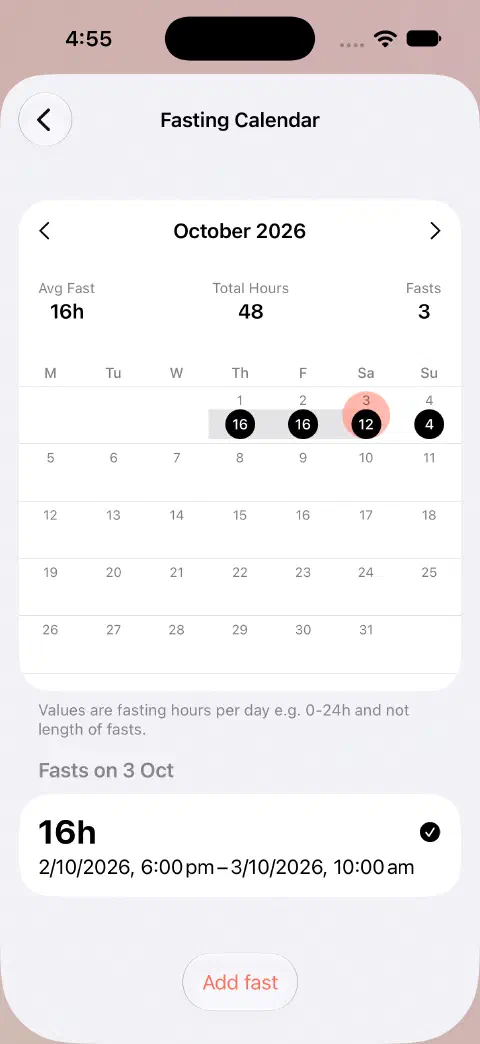
The current month is available without Pro. Other months require Pro or qualifying earlier access. Older individual records remain accessible in Data.
For daily calendar hours versus whole-fast duration, see understanding totals.
Still need a hand? Contact me.